


Blossom Color By Number
4.8176.00 Reviews
App Specs
- Version
- 1.0.7
- Updated On
- License
- Free
- Downloads
- 100,000+
- Developer
- Art Coloring Group
- Categories
- Board
- Platform
- Android
Screenshots
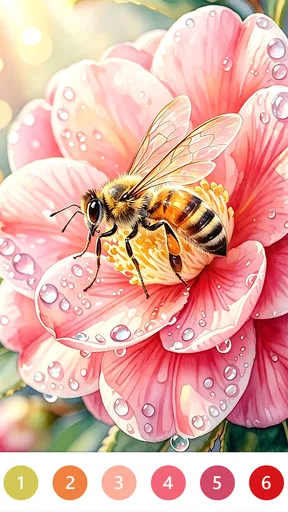
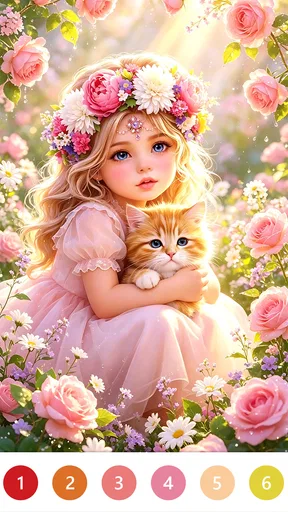
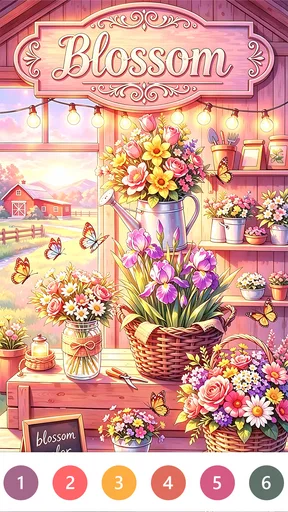
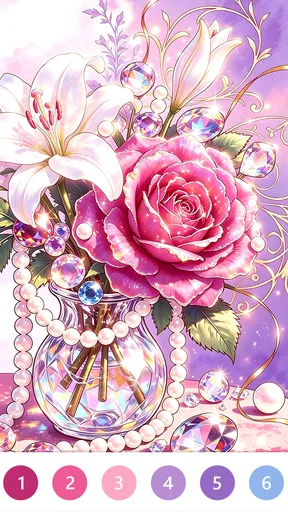
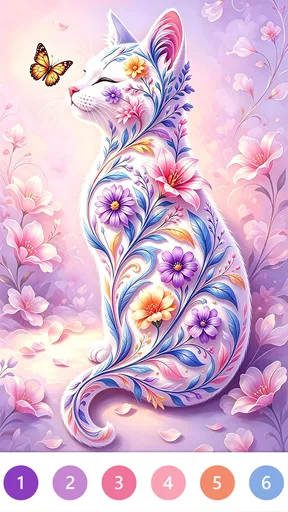
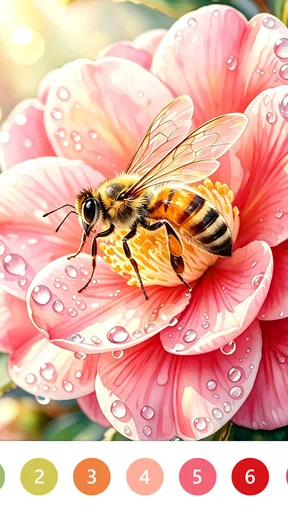

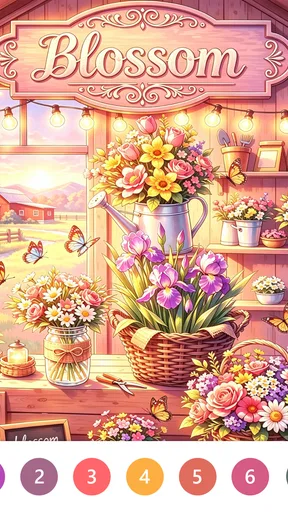
 Analysis by AppCompare
I tend to reach for a coloring game when I want something gentle that doesn’t ask me to learn a complicated set of rules. Blossom Color By Number has that easy-entry appeal: choose a picture, follow its numbered sections, and watch the image take shape one tap at a time. The board-game label might suggest a contest or a strategy challenge, but the experience is closer to a quiet digital coloring book. That distinction matters if you’re deciding whether it suits a short break or a more demanding gaming session.
What kind of break it suits
I find this style most useful when I want a small task with a clear stopping point. A picture can give a restless few minutes some structure without requiring the concentration of a puzzle or the quick reactions of an action game. It also works for people who enjoy color and illustration but don’t want to set up physical supplies or clean anything afterward. The appeal is the process, not mastering a difficult game system.
That makes it a reasonable choice for a quiet moment between errands, a relaxed evening, or a low-key wind-down before bed. I wouldn’t treat it as a substitute for every kind of relaxation, though. If tapping through small areas starts to feel repetitive, or if you want to make freehand art, a drawing app or a paper coloring book will probably be more satisfying.
How the pace feels in everyday use
The basic loop is easy to understand, so I can get into a picture without spending much time learning controls. That simplicity is a strength when I only have a few minutes. It also means the game’s pace depends heavily on the image I choose: a simpler design is a better fit for a brief pause, while a more intricate one gives me a longer, slower activity. I’d pick with the time I actually have rather than start a detailed picture just before I need to put my phone away.
For a realistic routine, I might open it after lunch, complete a small portion of an image, then stop when it’s time to get back to work. The number-matching gives that session a definite next step, but there’s no need to finish everything at once. If you like seeing progress in small increments, that can be more satisfying than a game where a short session ends without any visible result.
Who will enjoy it—and who may not
Blossom Color is aimed at people who like guided coloring more than open-ended creation. I can see it working well for someone who wants a calm, accessible activity, especially if choosing colors from scratch feels like too much effort. It can also suit casual players who prefer a game they can put down and return to rather than one that demands a long, uninterrupted stretch.
I’d be less likely to recommend it to someone looking for a competitive board game, a deep strategy challenge, or a tool for producing original illustrations. Paint-by-number narrows the creative choices by design: the numbers tell you where each color goes. That’s convenient and relaxing for some of us, but it can feel restrictive if the fun comes from experimenting with composition and palettes.
Worth Reading Before You Choose

EA SPORTS FC Mobile 26 Is a Bigger Football Game, but It Takes Time

Flipboard Shows What News Apps Must Do Beyond the Feed

Switching to Android Auto Means Rethinking Your Driving Routine

Google Calendar Makes a Crowded Week Easier to Manage

Ludo King Makes the Most of the Minutes Between Plans

Baby Panda World Brings Quick Play to Modern Phones, but Its Game Library Feels Busy
Unpacking the Blossom Experience
First off, let me tell you, this app is a feast for the eyes. If you’re into vibrant colors and stunning designs, you’re in for a treat. Blossom Color By Number is essentially a digital coloring book packed with a variety of images waiting to come to life with just a tap of your finger.
Getting Started
Getting started is a breeze. You download the app, and boom, you’re in. No need to jump through hoops. The interface is user-friendly, which is always a plus in my book. You’ve got your categories neatly laid out, so whether you're into nature scenes, mandalas, or cute animals, there's something for everyone.
The Coloring Experience
So, how does it work? You select an image, and each section of that image is assigned a number. You simply match the number with the corresponding color, and voilà! It’s like a digital paint-by-numbers, but without the mess. The app offers a satisfying clicking sound as you fill in each section, which is oddly soothing.
What I really appreciate is the variety. There are simple designs for when you want a quick coloring fix, and more complex ones for those times when you want to lose yourself in the details. Plus, the color palette is just gorgeous. The hues are rich and vibrant, making the finished artwork quite impressive.
Features Worth Highlighting
One feature that stood out to me is the daily new images. It keeps things fresh and exciting. You’re not stuck with the same old patterns and designs. Every day brings a new challenge or a new relaxation opportunity, depending on how you look at it.
Another cool aspect is the social sharing option. After you’ve completed a masterpiece, you can share it directly on social media. It’s a fun way to show off your work and possibly inspire others to join in on the fun.
And let’s not forget about the offline mode. Not every app lets you work offline these days, and it’s a lifesaver when you’re on the go and want to color without using up your data.
Working around the friction
Numbered coloring is relaxing partly because it removes the pressure of choosing every shade, but that same guidance can become a little mechanical over a long session. I’d switch between pictures rather than push through a design once the tapping stops feeling pleasant. If a small section is easy to overlook, slowing down and checking the remaining numbered areas is more useful than tapping quickly and hoping the image fills itself in.
There’s also a practical trade-off in using a phone screen for detailed art. On a compact display, tiny regions may take more careful taps, and a larger screen can feel more comfortable for intricate pictures. I wouldn’t assume that every image is equally suited to every device. For a brief session, a simpler picture is the safer pick; for a longer one, make sure you’re comfortable holding and looking at your device.
Choosing between coloring and other games
Compared with a traditional board game, this is a solitary, low-pressure activity rather than a shared match with turns, tactics, or a winner. Compared with freehand drawing, it gives up creative control in exchange for guidance and a finished image that develops in manageable steps. That puts it in a different lane from both alternatives: it’s best when following a visual pattern sounds appealing, not when you want to compete or invent a picture from a blank canvas.
If you’re deciding between this and another paint-by-number game, I’d focus on whether the image style and the act of filling areas feel enjoyable to you. The format itself is familiar, so the key question is whether you like this particular collection and its calm rhythm. For someone who wants a new challenge every session, a logic or strategy game will likely offer more variety in the kind of thinking it demands.
Practical details before you settle in
The game is free to download, with optional in-app purchases ranging from ninety-nine cents to fifty-nine dollars and ninety-nine cents per item. I’d treat those purchases as a reason to pay attention before confirming anything, especially if a child will be using the device. The age rating is Everyone, which makes the basic audience broad, but purchase controls on a shared phone or tablet are still worth checking in the device settings.
It comes from Art Coloring Group, and its current version is 1.0.7. The game has a 4.9 average from over five hundred ratings, with more than ten thousand installs. Those figures suggest that it has found an audience, but I’d still judge it by whether the numbered-coloring routine is your kind of downtime. It is free to start, not a promise that every optional purchase will be necessary or worthwhile for you.
Speed, reliability, and device fit
I wouldn’t expect a paint-by-number game to need the same sustained attention as a fast multiplayer title, but perceived smoothness still matters: a tap should feel like a direct response, particularly when a picture has many small areas. The simple interaction makes it easy to notice any delay, so I’d use a short first session to see whether selecting colors and filling sections feels comfortable on your device. That’s a more useful test than assuming every phone will respond identically.
For heavier use, the main strain is likely to be on your attention and eyes rather than on complicated controls. Detailed pictures invite longer sessions, so I’d take a pause when the screen begins to feel tiring instead of treating completion as a goal. If the app closes or you have to leave unexpectedly, don’t assume progress recovery works a particular way; save your expectations by finishing a natural stopping point before switching tasks. That small habit is sensible for any mobile activity you don’t want to lose track of.
Blossom Color By Number is free, rated for Everyone, and released on March 31, 2026. Its minimum operating-system requirement is 7.1, so checking your device’s software compatibility before downloading is a straightforward first step. The game’s uncomplicated coloring loop is a better fit for a device you can comfortably view and tap than for a very small screen if you plan to work on detailed pictures. I’d also keep the screen brightness comfortable and avoid long sessions if you’re using it as a bedtime wind-down.
My performance verdict
My overall take is that this is a lightweight-feeling idea in terms of interaction, not a promise about how every device will run it. Its appeal comes from a clear, unhurried task, and that makes it easy to try in short bursts. If it feels responsive on your phone and you enjoy guided coloring, the format can be a pleasant routine. If you encounter interruptions or find the small-area tapping fiddly, a paper book or a larger-screen option may be a better match than forcing yourself through it.
Features Worth Highlighting
One feature that stood out to me is the daily new images. It keeps things fresh and exciting. You’re not stuck with the same old patterns and designs. Every day brings a new challenge or a new relaxation opportunity, depending on how you look at it.
Another cool aspect is the social sharing option. After you’ve completed a masterpiece, you can share it directly on social media. It’s a fun way to show off your work and possibly inspire others to join in on the fun.
And let’s not forget about the offline mode. Not every app lets you work offline these days, and it’s a lifesaver when you’re on the go and want to color without using up your data.
Why You Should Give It a Try
Overall, Blossom Color By Number is about more than just coloring. It's about taking a break from the chaos of everyday life and indulging in a little "me time." Whether you’re a seasoned coloring pro or a newbie, you’ll find this app both entertaining and therapeutic.
So, if you're looking for a way to unwind and tap into your creative side, I’d definitely recommend giving this app a try. It’s free to download on both Android and iOS, and trust me, once you start, it’s hard to stop. Happy coloring!
Pros
- User-friendly interface with smooth navigation.
- Wide variety of beautiful designs to color.
- Regular updates with new coloring pages.
- Relaxing soundtrack enhances the experience.
- Offline mode available for coloring anywhere.
Cons
- Ads can be intrusive during gameplay.
- Limited free content without subscription.
- Some colors require in-app purchases.
- Occasional lag on older devices.
- No option to share work directly to social media.
FAQs for Blossom Color By Number
What is Blossom Color By Number?
Blossom Color By Number is a digital coloring app that allows users to create beautiful artwork by following a color-by-number system. It offers a relaxing and enjoyable experience for users of all ages, providing a wide variety of floral-themed images to color using a simple tap and fill method.
How does the color-by-number system work in the app?
The app assigns each section of an image a specific number that corresponds to a particular color. Users simply tap on the numbered section and choose the associated color from the palette. This easy-to-follow system ensures a stress-free coloring experience, perfect for both beginners and seasoned colorists.
Are there any in-app purchases or subscriptions?
Yes, Blossom Color By Number offers in-app purchases and subscription options. While the app provides a selection of free images, users can purchase additional image packs or subscribe for premium access. Subscriptions often include benefits such as ad-free experience, unlimited hints, and exclusive artwork.
Can I share my completed artwork on social media?
Absolutely! Blossom Color By Number allows users to easily share their finished artwork on various social media platforms. Once you've completed an image, simply use the share feature within the app to post your creations to Instagram, Facebook, or any other social media channel of your choice.
Is an internet connection required to use the app?
An internet connection is not necessary to color images in Blossom Color By Number, which makes it convenient for offline use. However, an internet connection is required to download new images, access in-app purchases, and share your artwork online. It's best to download new content while connected to Wi-Fi.


